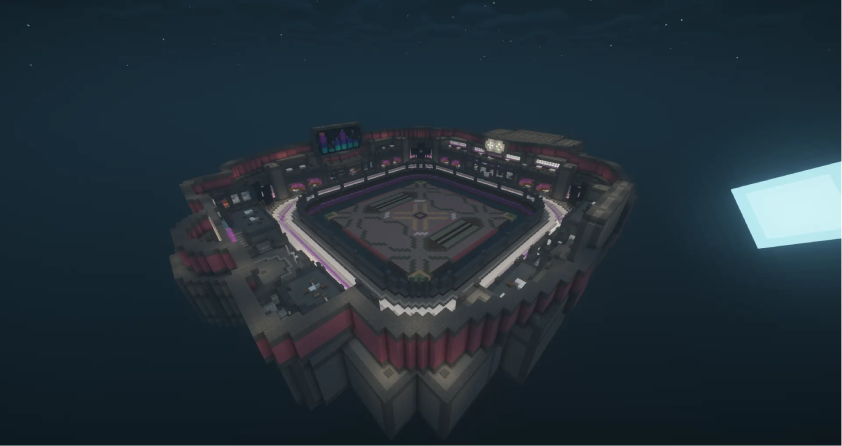
Block Party
Match the color before the floor falls. Quick reactions win
Description
Match the correct color before the floor disappears. Quick reactions win the round.
Game type notes
This is a Minigame: it is designed for standalone arenas, but it can also be used inside party rotations. Minigames usually provide longer, feature-rich rounds.
What you get with BlueArcade 3 + this module
- Party system (lobbies, queues, and shared party flow).
- Store-ready menu integration and vote menus.
- Victory effects and end-game celebrations.
- Scoreboards, timers, and game lifecycle management.
- Player stats tracking and placeholders.
- XP system, leaderboards, and achievements.
- Arena management tools and setup commands.
Features
- Pattern system for color sequences.
- Flexible timing controls for music and search phases.
- Floor region setup with the magic stick tool.
Arena setup
Common steps
Use these steps to register the arena and attach the module:
/baa create [id] <standalone|party>— Create a new arena in standalone or party mode./baa arena [id] setname [name]— Give the arena a friendly display name./baa arena [id] setlobby— Set the lobby spawn for the arena./baa arena [id] minplayers [amount]— Define the minimum players required to start./baa arena [id] maxplayers [amount]— Define the maximum players allowed./baa game [arena_id] add [minigame]— Attach this minigame module to the arena./baa stick— Get the setup tool to select regions./baa game [arena_id] [minigame] bounds set— Save the game bounds for this arena./baa game [arena_id] [minigame] spawn add— Add spawn points for players./baa game [arena_id] [minigame] time [minutes]— Set the match duration.
Module-specific steps
Finish the setup with the commands below:
1. Configure the floor
/baa game [arena_id] block_party floor set— Select and save the floor area.
2. Choose the pattern mode (required)
Every arena must choose how the floor pattern is generated:
/baa game [arena_id] block_party pattern type static— Use manually saved patterns./baa game [arena_id] block_party pattern type procedural— Generate a fresh pattern automatically for each round.
Check the current mode at any time with /baa game [arena_id] block_party pattern status.
Saved patterns (static)
Create one or more patterns manually. At least one saved pattern is required in this mode.
/baa game [arena_id] block_party pattern add <name>— Create a new color pattern./baa game [arena_id] block_party pattern remove <name>— Remove a pattern./baa game [arena_id] block_party pattern list— List existing patterns./baa game [arena_id] block_party pattern initial <name>— Set the first pattern.
Procedural patterns (dynamic)
Let the module generate a fresh pattern automatically for each round. Saved patterns are optional in this mode and remain untouched.
/baa game [arena_id] block_party pattern templates all— Use every built-in template./baa game [arena_id] block_party pattern templates <type...>— Use only specific templates.
Available templates: stripes, diagonal, rainbow, checker, rings, sectors, islands, waves, spiral, creeper, mosaic.
Procedural settings are configured under procedural_patterns in the module settings.yml:
scale.min_cells_per_side— How many pattern cells should fit on the shortest floor side. Higher values produce smaller cells.min_target_area_percent— Minimum percentage of the floor that a target color must cover.difficulty.*— Color count scaling per round.
By default, every procedural arena uses all built-in templates. Use pattern templates <type...> to restrict which templates an arena can use.
3. Configure timing (optional)
/baa game [arena_id] block_party musictime <seconds>— Set the music phase length./baa game [arena_id] block_party searchtime <seconds>— Set the time to find the color./baa game [arena_id] block_party decreasetime <seconds>— Decrease the search time per round./baa game [arena_id] block_party mintime <seconds>— Set the minimum search time.
Music
Bundled songs are installed into the module's music/ folder only on the very first server start. After that, the module never touches the folder again, so songs you delete will not reappear on restart.
- Minecraft edition:
.nbsfiles - Hytale edition:
.midifiles
You can also add your own song files to the music/ folder at any time; they will be picked up on the next reload. If the folder is empty, rounds run without music.
Technical details
- Minigame ID:
block_party - Module Type:
MINIGAME
Building individual editions
If you only need one edition, you can build it on its own:
mvn clean package -pl blockparty-minecraft -ammvn clean package -pl blockparty-hytale -am
Links & Support
- Website: https://www.blueva.net
- Documentation: https://docs.blueva.net/books/blue-arcade
- Support: https://discord.com/invite/CRFJ32NdcK