Bed Wars
Protect your bed, destroy enemy beds, and be the last standing
Free
v20261023-8563582
For Minecraft
This resource is a BlueArcade 3 module and requires the core plugin to run.
Get BlueArcade 3 here:
Description
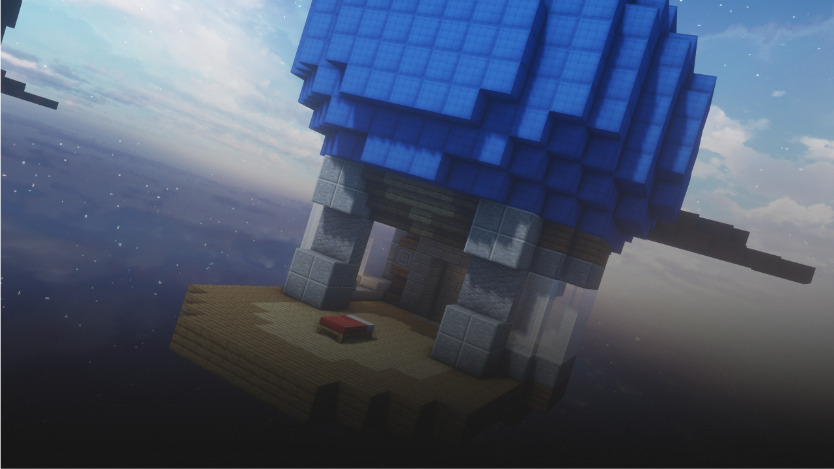
Protect your bed, destroy enemy beds, and be the last team standing. Collect resources from spawners, buy items and upgrades from shop NPCs, and eliminate all opposing teams.
Game type notes
This is a Minigame: it is designed for standalone arenas, but it can also be used inside party rotations. Supports both team mode and solo mode (team size of 1).
What you get with BlueArcade 3 + this module
- Party system (lobbies, queues, and shared party flow).
- Store-ready menu integration and vote menus.
- Victory effects and end-game celebrations.
- Scoreboards, timers, and game lifecycle management.
- Player stats tracking and placeholders.
- XP system, leaderboards, and achievements.
- Arena management tools and setup commands.
Features
- Full Bed Wars item shop with configurable categories, prices, currencies, tiers, permanent purchases, auto-equipped gear, enchantments, potion effects, and custom purchase actions.
- Java Quick Buy menu with per-player defaults, shift-click add/remove behavior, configurable slots, and live affordability/status feedback.
- Complete Java and Bedrock menu support: Java chest menus plus Bedrock Simple Form menus for item shop categories, purchases, team upgrades, and vote settings.
- Full shop content out of the box: blocks, melee weapons, armor, tools, ranged items, potions, and utilities such as golden apples, bedbugs, dream defenders, fireballs, TNT, ender pearls, water buckets, bridge eggs, magic milk, sponges, and towers.
- Team upgrade shop with tiered diamond upgrades for sharpness, protection, haste, and forge/generator speed.
- Shop NPC villagers for item shop and team upgrades, spawned only during the match and removed during cleanup.
- Iron, gold, diamond, and emerald generators with configurable intervals, optional hologram countdowns, and timed generator upgrade events.
- Per-team beds, bed destruction announcements, respawn while the bed is alive, and final-kill elimination once a team bed is destroyed.
- Solo and team modes through configurable team count and team size, with support for up to 8 active teams.
- Bed Wars combat rules: teammate damage prevention, kill credit handling, kill regeneration, configurable respawn delay, and spawn fall-damage protection.
- Bed Wars block rules: player-placed block tracking, protected map blocks, enemy-bed exceptions, TNT/fireball interaction with placed blocks, and arena region regeneration.
- Special item handling for fireballs, TNT placement, bridge eggs, magic milk, bedbugs, dream defenders, sponges, and compact wool towers.
- Team-colored starting loadouts, permanent armor/tool tracking, and protection against dropping or moving permanent shop items incorrectly.
- Arena-scoped utility inventories, including team-aware ender chest handling and configurable chest titles.
- Waiting-lobby vote item and vote menus for hearts, time, and weather.
- Cosmetic spawn cages integrated with the BlueArcade store, including unlockable cage materials and random selection support.
- Dynamic scoreboards for 2 to 8 active teams, including bed status and the player team marker.
- Stats, placeholders, and achievements for Bed Wars progression.
Arena setup
Common steps
Use these steps to register the arena and attach the module:
/baa create [id] <standalone|party>— Create a new arena in standalone or party mode./baa arena [id] setname [name]— Give the arena a friendly display name./baa arena [id] setlobby— Set the lobby spawn for the arena./baa arena [id] minplayers [amount]— Define the minimum players required to start./baa arena [id] maxplayers [amount]— Define the maximum players allowed./baa game [arena_id] add [minigame]— Attach this minigame module to the arena./baa stick— Get the setup tool to select regions./baa game [arena_id] [minigame] bounds set— Save the game bounds for this arena./baa game [arena_id] [minigame] spawn add/baa game [arena_id] bed_wars team spawn <team_id>to configure team spawns./baa game [arena_id] [minigame] time [minutes]
Module-specific steps
Finish the setup with the commands below:
1. Configure teams
/baa game [arena_id] bed_wars team count <value>— Set the number of teams (minimum 2)./baa game [arena_id] bed_wars team size <value>— Set the players per team (minimum 1 for solo, 2+ for teams)./baa game [arena_id] bed_wars team spawn <team_id>— Set the spawn point for a team at your current location.
2. Configure beds
/baa game [arena_id] bed_wars bed set <team_id>— Set the bed for a team. Look at the bed block and run this command.
3. Configure resource spawners
/baa game [arena_id] bed_wars spawner add <iron|gold|diamond|emerald> <true|false>— Add a spawner. Look at the block where the spawner should be and run this command. The second argument controls whether a hologram is shown above the spawner (trueorfalse). Spawn intervals are configured globally insettings.ymlunderspawners.defaults.*— they are not set per-spawner./baa game [arena_id] bed_wars spawner list— Show all configured spawners (type and hologram flag)./baa game [arena_id] bed_wars spawner remove— Remove a spawner. Look at the spawner block and run this command. Breaking a spawner block during gameplay also unregisters it.
4. Configure shop NPCs
/baa game [arena_id] bed_wars npc add <store|upgrade>— Add a shop NPC at your current location. NPCs are villagers that spawn when the game starts and despawn when it ends.storeopens the item shop menu,upgradeopens the team upgrades menu./baa game [arena_id] bed_wars npc list— Show all configured NPCs./baa game [arena_id] bed_wars npc remove <id>— Remove an NPC by its ID.
5. Configure region
/baa game [arena_id] bed_wars region set— Select and save the regeneration region./baa game [arena_id] bed_wars region clear— Clear the regeneration region if needed.
Important:
team_idvalues are numeric-only (1,2,3, ...) and must be between1and your configuredteam count.
Technical details
- Minigame ID:
bed_wars - Module Type:
MINIGAME
Links & Support
- Website: https://www.blueva.net
- Documentation: https://docs.blueva.net/books/blue-arcade
- Support: https://discord.com/invite/CRFJ32NdcK