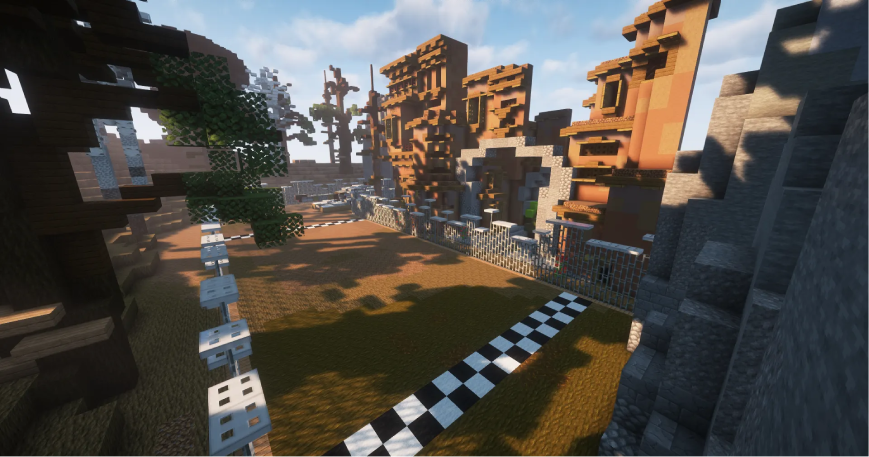
Minefield
Cross the minefield, don't blow up. Reach the finish line first!
Free
v20260918-5961c1e
For Minecraft
This resource is a BlueArcade 3 module and requires the core plugin to run.
Get BlueArcade 3 here:
Description
Cross the minefield without getting blown up. Reach the finish line first.
Game type notes
This is a Microgame: it is designed for party game rotations, but it can also run as a standalone arena. Microgames typically focus on short, fast rounds.
What you get with BlueArcade 3 + this module
- Party system (lobbies, queues, and shared party flow).
- Store-ready menu integration and vote menus.
- Victory effects and end-game celebrations.
- Scoreboards, timers, and game lifecycle management.
- Player stats tracking and placeholders.
- XP system, leaderboards, and achievements.
- Arena management tools and setup commands.
Features
- Finish line region plus a dedicated minefield floor area.
- Clear, distance-based competition.
- Simple configuration with the selection tool.
Arena setup
Common steps
Use these steps to register the arena and attach the module:
/baa create [id] <standalone|party>— Create a new arena in standalone or party mode./baa arena [id] setname [name]— Give the arena a friendly display name./baa arena [id] setlobby— Set the lobby spawn for the arena./baa arena [id] minplayers [amount]— Define the minimum players required to start./baa arena [id] maxplayers [amount]— Define the maximum players allowed./baa game [arena_id] add [minigame]— Attach this minigame module to the arena./baa stick— Get the setup tool to select regions./baa game [arena_id] [minigame] bounds set— Save the game bounds for this arena./baa game [arena_id] [minigame] spawn add— Add spawn points for players./baa game [arena_id] [minigame] time [minutes]— Set the match duration.
Module-specific steps
Finish the setup with the commands below:
/baa game [arena_id] minefield finishline set— Select and save the finish line region./baa game [arena_id] minefield floor set— Select and save the minefield floor region.
Technical details
- Minigame ID:
minefield - Module Type:
MICROGAME
Links & Support
- Website: https://www.blueva.net
- Documentation: https://docs.blueva.net/books/blue-arcade
- Support: https://discord.com/invite/CRFJ32NdcK